Comments


On the full featured slideshow, the visitors can enter comments to the photos.
To switch this feature on, Tick Basic settings -> General -> I -> Item 4: Enable Comments.

You can configure the behaviour like: if the user must be logged in, if an email address is required, if a smileypicker is present, avatar display, moderation, notification emails, points rewards etc... Click the See also link near the activation checkbox Ito see all the related settings.

To show the photos that have recent comments, you can activate the ComTen widget, see the sidebar.

There is also a shortcode version for displaying the most recently commented photos.
In this example 0: system wide, 12: max 12 photos:
[wppa type="thumbs" album="#comten,0,12"]

Docs by subjectCommentsPhotos commentées récemment
4919
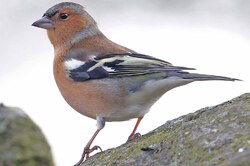
Vogel (Tina)
Notes: 4.67
2 commentaires
1174 vus
4918
Zeegezicht (Jaap Breetvelt)
Notes: 4.33
1 commentaire
1224 vus
4917
Berglandschap (Jaap Breetvelt)
Notes: 4.00
2 commentaires
1211 vus
4711
 PREMIER 
Perlhyazinthe (translator)
QuiMakroaufnahme mit Retroadapter
Camera info

https://wppa.nl/wp-content/wppa-pl/translator/IMG_1614_web.jpg
1 commentaire
1205 vus
4705
HPIM2828 (Kimmy Breetvelt)
Camera info

https://wppa.nl/wp-content/wppa-pl/My-sub-album/HPIM2828.JPG
1 commentaire
1162 vus
4241
Marco_Porcio_Caton_Major (wppa-admin)
Camera info

https://wppa.nl/wp-content/wppa-pl/Opa-Jaap-Test/Marco_Porcio_Caton_Major.jpg
Notes: 5.00
1 commentaire
1362 vus
2016
2016 (wppa-admin)
Camera info

https://wppa.nl/wp-content/wppa-pl/Opa-Jaap-Test/2016.JPG
1 commentaire
1052 vus
4231
20160708_184350[1] (opajaap)
QuiPrepared by my wife Tina
QueMy dish
OuAt home
QuandJuly 8 2016
Camera info

https://wppa.nl/wp-content/wppa-pl/Opa-Jaap-1/20160708_1843501.jpg
1 commentaire
238 vus
3669
Owens L 02-06.jpg (wppa-admin)
1 commentaire
1058 vus
3246
Abs - Mandelbrot.jpg (wppa-admin)
Notes: 2.00
1 commentaire
400 vus
18
HPIM1865.JPG (opajaap)
Camera info
Views: 667 times
https://wppa.nl/wp-content/wppa-pl/Child-album/HPIM1866.JPG
Notes: 3.25
1 commentaire
667 vus
10
HPIM0566.JPG (opajaap)
Camera info
Views: 1567 times
https://wppa.nl/wp-content/wppa-pl/Child-album/HPIM0566.JPG
Notes: 3.83
1 commentaire
1567 vus

You can see the comments when you click on the thumbnails, they link to the slideshow.

However... It is most likely that you want the given comments to be shown together with the thumbnails. To achieve this, tick Item 7: ComTen alt display and you will get this display:
[wppa type="thumbs" album="#comten,0,12"]

Docs by subjectCommentsPhotos commentées récemmentPhotos commentées récemment
   
Note moyenne  1 2 3 4 5fVous devez vous connecter pour voter
2016
4231
3669
3246
18
10
4919
4918
4917
4711
4705
4241
2016
4231
3669
3246
18
10
4919
4918
4917
4711
4705
4241
 

Note: This works only with thumbnail type default. You can force the use of type default using inline settings e.g.:
[wppa_set name="wppa_thumbtype" value="default"]
[wppa type="thumbs" album="#comten,0,12"]
[wppa_set]

See also In-line settings